Allocation targets & rebalancing alerts
Set a target mix for your portfolio by asset class, then get told when your actual allocation drifts away from it, so you know when it's time to rebalance.
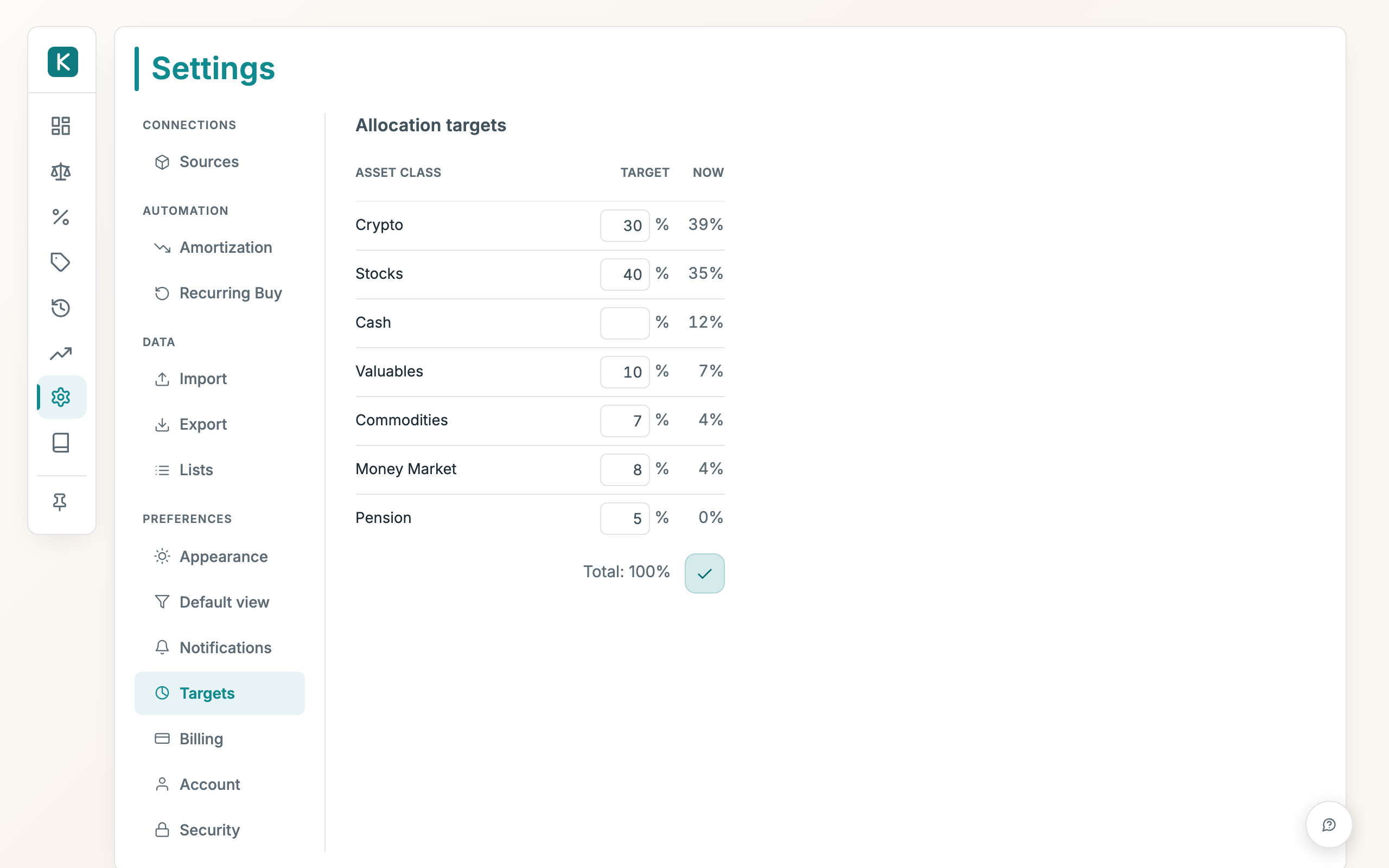
How to use
- Open Settings, then Allocation targets. Each row shows an asset class with the share you want to hold (Target) next to where you are today (Now).
- Type a target percentage into each Target field. The running Total at the bottom must add up to 100% before you can save.
- Leave a class blank (or 0) to drop it from the mix. Liabilities (mortgage, debt, provision) are listed at the end under Not part of the mix: they're what you owe, not something you allocate, so they carry no target and no share.
- Press Save target mix to store it.
Good to know
- On the dashboard, the asset-class chart card can flip to your targets: click its header (it reads Targets / Chart) to switch between the donut and a bar for each class showing where you are versus your target, biggest drift first. An over-target class is flagged amber.
- The flipped card has an Adjust targets → link that jumps straight back to these settings. If you haven't set any targets yet, a pencil on the donut takes you there instead.
- Turn the alerts on under Settings → Notifications, on the Rebalancing alerts row. Tick Email, Telegram, or both. The Band in that same row is how far a class may drift from its target (in percentage points) before you're alerted; the default is 5.
- The check runs once a night, after your net worth is recalculated. You get one alert per drift episode: once alerted, you won't be told again until your mix comes back inside the band and later drifts out again. Email alerts carry a one-click unsubscribe link.