Update Emails
A periodic email summarising how your net worth moved, so you have a reason to check back in without living in the app. Set it up under Settings → Notifications.
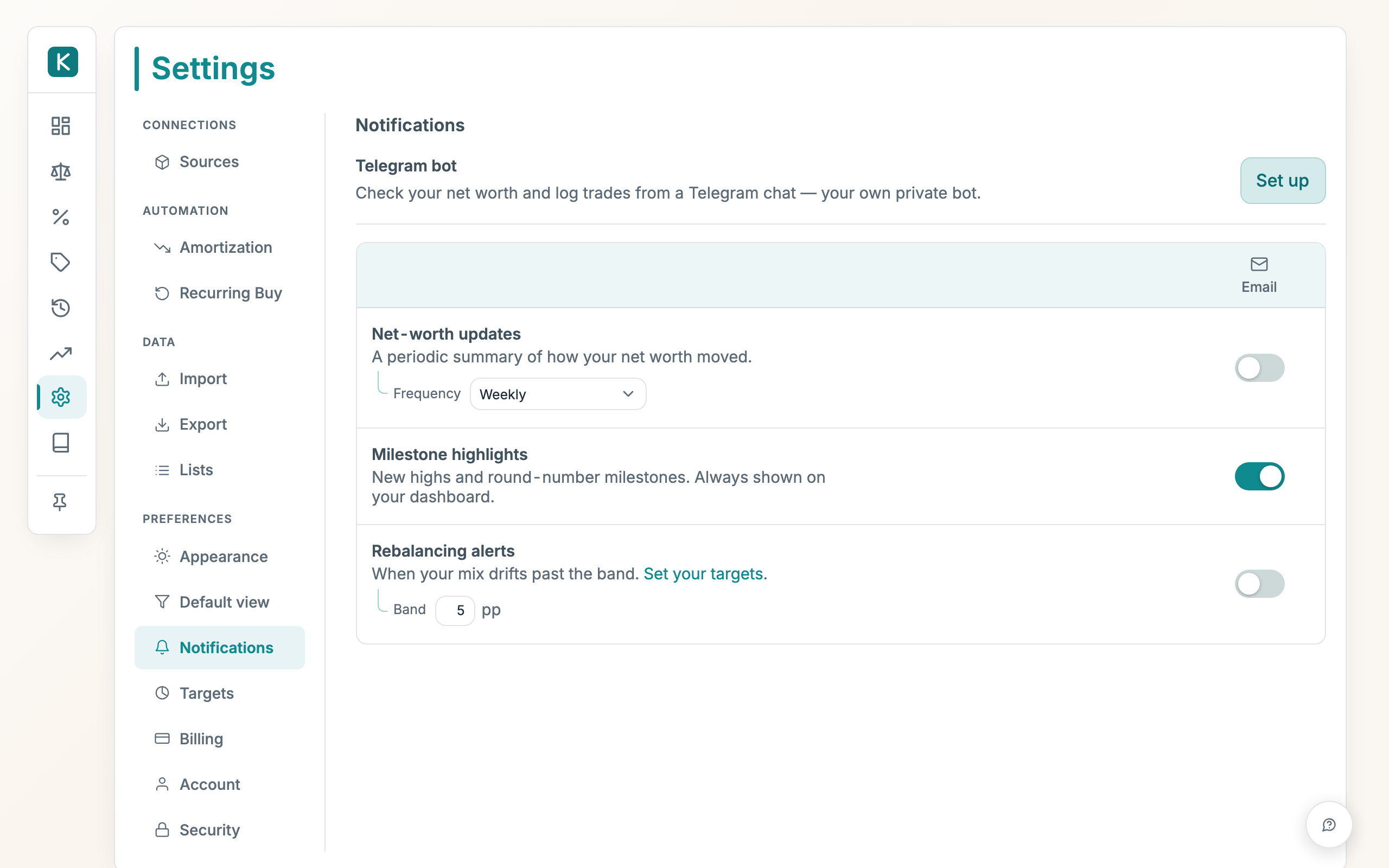
How to use
- Open Settings, then Notifications.
- The grid lists what you can be told about, with an Email and a Telegram column. Tick a cell to switch that update on for that channel.
- For Net-worth updates, set Frequency to Weekly or Monthly, then pick the Day (weekly only) and Time it's sent. This applies to both channels.
- Turn on Email in the Net-worth updates row to start receiving the summary.
Good to know
- Weekly sends on your chosen day and time (default Sunday 18:00); Monthly sends at the start of each calendar month at your chosen time.
- The send time is in your own timezone, detected automatically from your browser.
- A missed send (e.g. the app was briefly offline) is caught up on the next hour rather than skipped.
- A brand-new account with too little history to measure a move waits until there's enough.
- The Telegram column works once you've connected your bot in the Telegram bot row above the grid.
- Milestone highlights can ride along in the update: new round-number milestones and all-time highs, plus a year-to-date line on the monthly email. The milestone banner on your dashboard shows regardless.
- Every email has a one-click unsubscribe link.