Prices
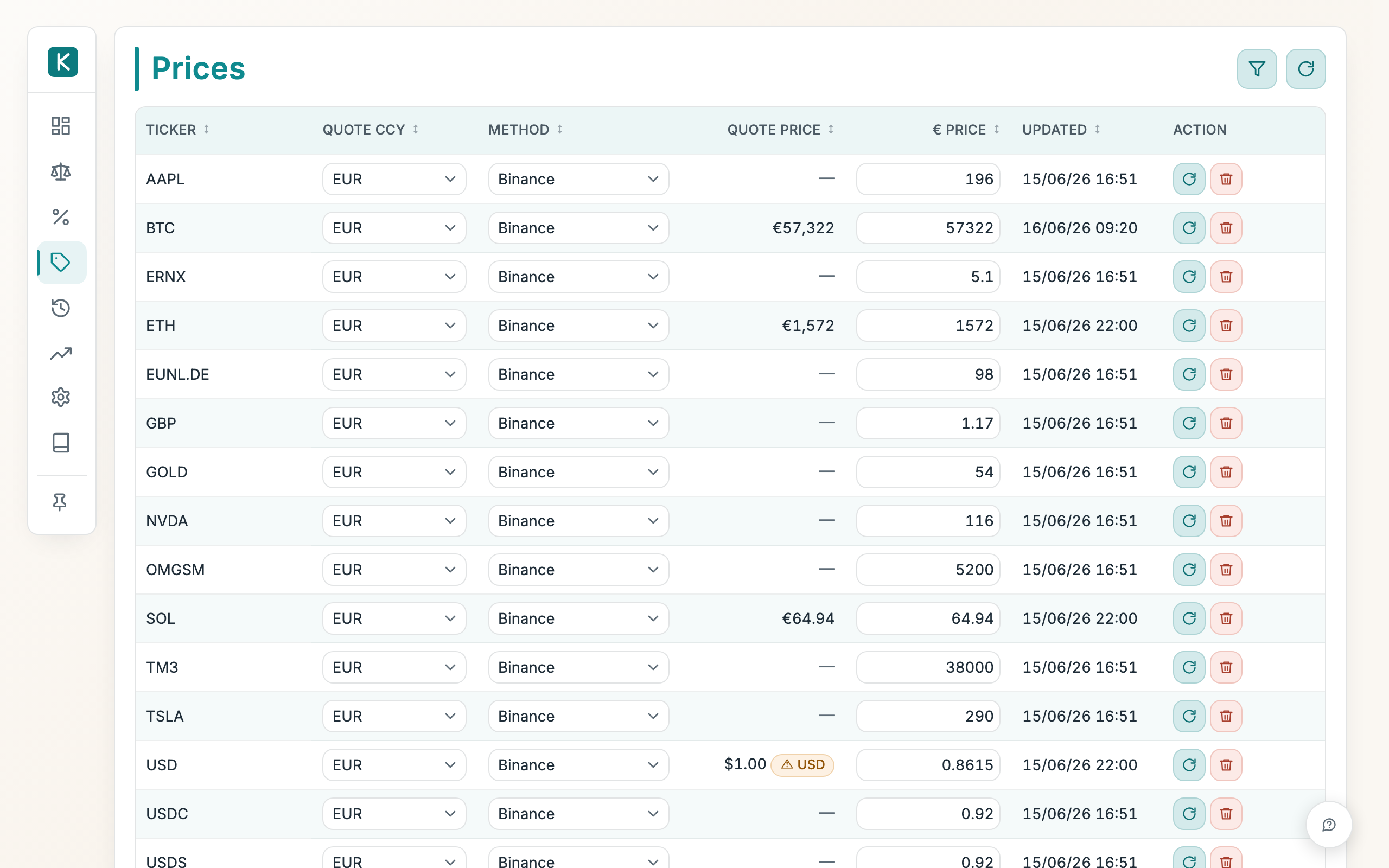
The one place where the current price of each ticker lives. This page shows what each ticker is worth in your ledger's base currency now, which source keeps it up to date, and when it last changed.
How to use
- Use the filter bar (the funnel button) to narrow down to the tickers you care about.
- Use the group icon in the filter bar to group the table by Class (crypto, stocks, cash, and so on). Choose No grouping to go back to the flat list.
- Click a row's gear button to set its Method, where the price comes from: Crypto (Binance → CoinMarketCap), Stocks & ETFs (Twelve Data → Alpha Vantage), ECB (fiat rates), Zerion, Mirror USD, or Manual. The two waterfall methods try the first provider, then fall back to the second.
- The same dialog sets the preferred quote currency, a display choice for the Quote column (it also drives the balance-sheet/dashboard "preferred currency" view). It defaults to the instrument's real trading currency and does not affect the base-currency price: the app detects the trading currency itself and always converts correctly to your base currency.
- To type a price yourself, edit the Price box in the row.
- Click Refresh all prices (the circular arrow, top right) to pull fresh quotes for every non-manual ticker, or use the row's refresh button to update just one.
- Use the row's delete button to remove a price you no longer want stored.
Good to know
- The Price column is always in your base currency and always correct: the app resolves each instrument's real trading currency (e.g. NVIDIA in USD, a Frankfurt ETF in EUR, a London share in pence) from the provider, so the conversion can't be thrown off by your display choice.
- Manual rows never auto-update. Refresh all prices and the per-row refresh both skip any row set to Manual. Change one by editing its Price by hand.
- Prices fetch through a fallback waterfall. Stocks, commodities and money-market funds (the Alpha Vantage method) try Twelve Data first, then Alpha Vantage. Crypto (the Binance method) tries Binance first, then CoinMarketCap as a backup for tokens Binance doesn't list. Each provider tries the shared key, then your own key if you've set one in Settings → Price data.
- Adding your own key is free and worth it. Twelve Data, Alpha Vantage and CoinMarketCap each hand out a free API key in under a minute (no card). The shared key is rate-limited across everyone, so on busy days a refresh can come back empty; your own key gives you a private quota that nobody else draws down, so prices keep updating. It's only ever used as a fallback. Set it once and forget it.
- The Value column shows what your ledger currently holds under each ticker (the current value in your base currency, summed across accounts), so you can sort the table by the positions that matter most.
- Mirror USD tracks a USD-pegged value (useful for dollar stablecoins), converted to your base currency.
- Prices refresh themselves. A nightly run (22:00 Brussels time) pulls fresh quotes for every non-manual ticker. The desktop app can only do this while it's open, so it also refreshes any price older than 24 hours in the background when you open the app.
- A stale Updated time is normal for thinly-traded assets or over the weekend.
- Your base currency is fixed and cannot be edited or refreshed.