Share snapshot
Make a clean image of your portfolio to share. It is built entirely in your browser. Nothing is uploaded, and portfolio, provider and ticker names never appear.
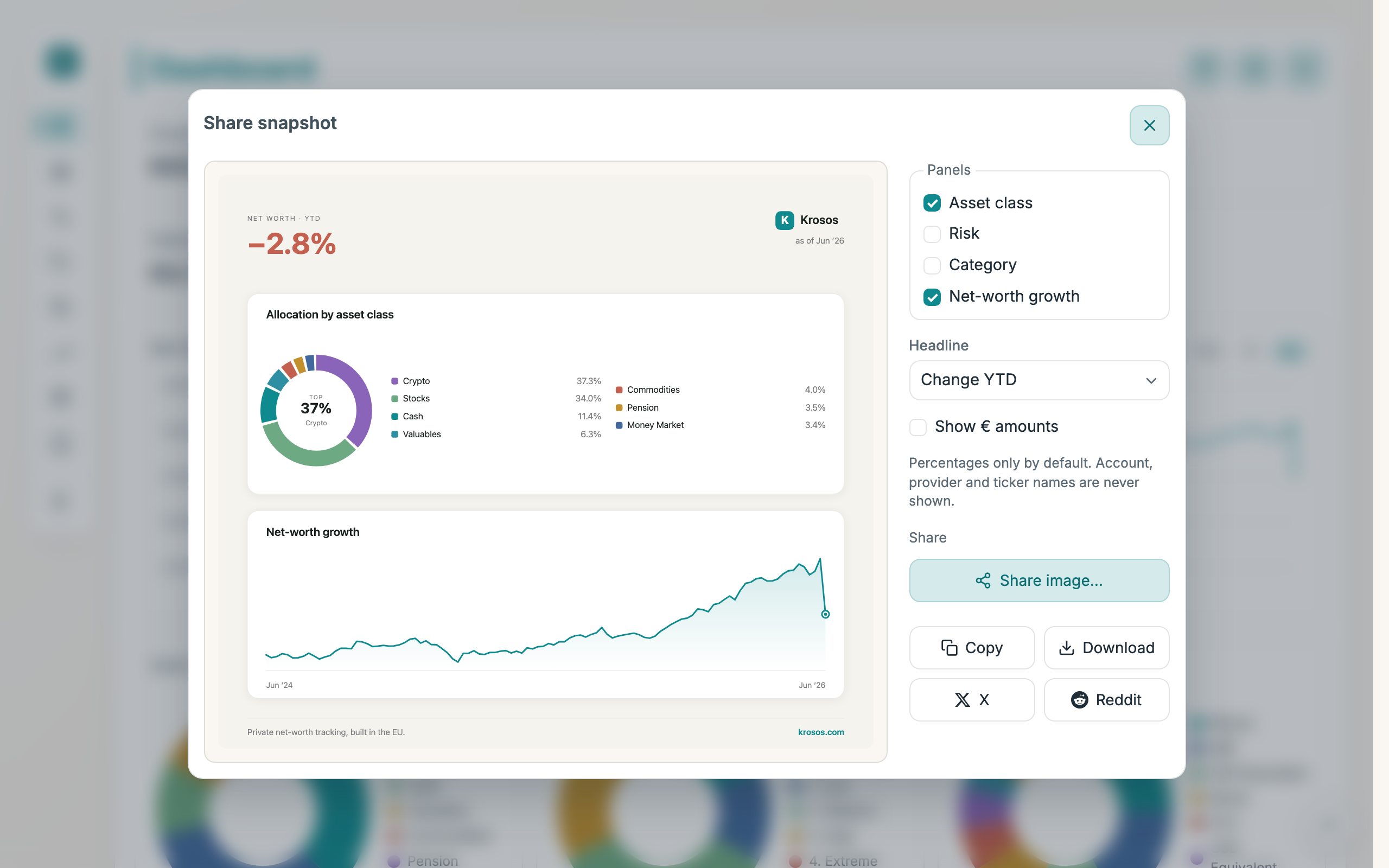
How to use
- On the Dashboard, click the share icon next to the "+" button.
- Tick the panels to include: Asset class, Risk, Category, Net-worth growth.
- Pick a Headline: Change YTD, Change 1Y, or Change all-time.
- The preview updates as you change options.
- Save or share the image with the buttons below the preview.
Good to know
- It opens with Asset class and Net-worth growth ticked.
- By default the image shows percentages only. Tick Show € amounts to include absolute figures.
- Copy puts the image on your clipboard to paste straight into a post.
- Download saves the image as a file.
- X opens a new post and copies the image so you can paste it in.
- Reddit opens a new post and downloads the image so you can attach it.
- On phones a Share image… button opens your device's share sheet.